
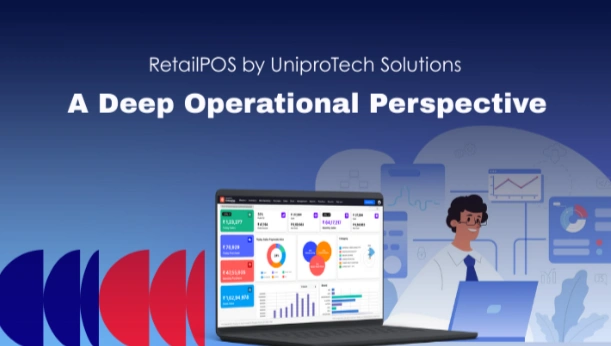
A Deep Operational Perspective
Retail technology decisions are rarely made in a boardroom.
They’re made on the shop floor after multiple failures, repeated workarounds, and cumulative operating friction.
RetailPOS by UniproTech Solutions is not just another POS system.
It is the outcome of two decades of iteration, real-world exposure, and operational discipline.
This article breaks down:
- Where RetailPOS actually helps
- How features map to real operational problems
- What success looks like in practice
- How implementations are planned and executed
- What business outcomes organisations experience
This is not a product brochure.
This is a field report.
1. Retail Problems Most POS Systems Never Solve
Before we dive into where RetailPOS helps, it’s important to understand why most POS deployments fail over time.
Years of field exposure including complex environments like fresh produce chains, multi-outlet FMCG formats, and hybrid grocery operations reveal that the failure patterns are not random. They cluster around a few persistent operational realities:
A. Peak-Hour Performance Breakdown
In many stores, the system works fine until it doesn’t.
A POS that responds instantly at low volumes may become sluggish during peak hours (5–9 pm) exactly when retailers cannot afford delays.
Symptoms include:
- longer queues
- skipped pricing scans
manual overrides that distort inventory
B. Inventory Reality vs. System Expectation
Most POS tools treat inventory as:
“what’s in stock minus what’s sold.”
But real retail inventory is messier:
- items are bought in cartons but sold in loose units
- expiry and freshness affect valuation
- wastage is expected, not exceptional
- stock isn’t a static number — it flows with business context
Systems that treat stock as static eventually break alignment with what stores actually experience.
C. Multi-Outlet Complexity
When a retailer goes from 1 store to 5+, issues multiply:
- transfers are mis-recorded
- store counts rarely reconcile
- central office distrusts store numbers
- stock drift becomes invisible until audit cycles
Generic POS tools often treat multi-outlet behaviour as an add-on, not an operational core requirement.
2. Feature-Problem Mapping — Field-First
RetailPOS does not sell features.
It solves operational problems. Below is how specific capabilities map to real-world retail pain points.
A. Billing Workflows That Don’t Fight Peak Pressure
Problem:
POS stalls on barcode scanning, price override latency, complex till operations during rush hours.
RetailPOS Outcome:
- streamlined counter workflows
- minimal clicks per bill
- native weighing integration without step jumps
- fast, predictive scanning logic
Most POS systems treat weighing or loose billing as a configuration afterthought; RetailPOS treats it as a fundamental grocery workflow.
This yields faster billing throughput and fewer manual overrides.
B. Inventory Accuracy That Matches Reality
Problem:
Inventory reports look right, but shelves say otherwise.
This comes from:
- poor batch/expiry linkage
- manual wastage entries
- SKU hierarchy mismatches (carton → pack → loose unit)
RetailPOS Outcome:
Inventory movement is tightly integrated with:
- expiry & batch logic
- automatic wastage flow
- inbound/outbound reconciliation
- real-time accuracy at store and head-office level
Inventory reports start reflecting actual stock behaviour, not theoretical stock numbers.
C. Returns That Don’t Break Your Books
Problem:
Returns are handled as a billing reversal, but GST, margins, and inventory get misaligned.
Under pressure, this creates:
- wrong cost of goods sold
- skewed margin reporting
- head-office vs store discrepancies
RetailPOS Outcome:
Returns are modelled holistically — they update:
- inventory real counts
- tax positions
- margin calculation
- customer history
This prevents “fix later” workflows that always explode during reconciliation.
D. Multi-Outlet Visibility Without Manual Spreadsheets
Problem:
Once stores multiply, reconciliation becomes a weekly Excel marathon.
Stock between outlets drifts; receipts don’t tie out.
RetailPOS Outcome:
- centralised inventory engine
- controlled transfers
- outlet-aware SKU movements
- store-level autonomy with central control
This reduces manual intervention and restores faith in the numbers hierarchy.
E. Offline Reality Is Treated As Normal
Problem:
Systems presume constant connectivity; even short network blips cause:
- billing outages
- data sync conflicts
- lost transactions
RetailPOS Outcome:
Offline is not an edge case it’s part of everyday workflow.
This ensures billing continuity and conflict-free sync once connectivity resumes.
3. Success Stories — Operational Realities Over “Feature Checklist”
A. Complex FMCG + Fresh Workflow
A mid-structured retailer faced:
- rapid SKU expansion
- combined SKU behaviours (packaged & fresh)
- unplanned price variation
Over time, stock variance grew; wastage entries ballooned; daily reports lost credibility.
What changed with RetailPOS:
- expiry & freshness flows became part of stock movement
- wastage was contextualised instead of manual
- pricing updates propagated without lag
The outcome was not dramatic dashboards
it was a reduction in corrective work done outside the system.
B. Multi-Store Expansion
A growing grocery chain was struggling with:
- inconsistent store practices
- transfer anomalies
- head office distrust of store data
RetailPOS introduced:
- structured store-to-store movement
- outlet hierarchies with permission control
- reconciliation checkpoints
Within weeks, the head office started trusting store numbers something that had never
4. Implementation Blueprint — How It Actually Works
Most POS implementations fail not because of poor planning but because planning assumes ideal operations.
Here’s how RetailPOS implementations differ:
Step 1 — Live Operational Study
Instead of kickoff workshops with process charts, teams go into:
- peak-hour observations
- real billing flows
- exception handling patterns
This grounds the implementation in what actually happens, not what the org chart says happens.
Step 2 — Workflow Mapping First, Configuration Next
Rather than starting with feature checklists, the team documents:
- current shortcuts
- unavoidable exceptions
- irregular patterns
- offline pressures
Configuration maps to these realities, not a theoretical model.
Step 3 — Controlled Autonomy
RetailPOS doesn’t standardise everything rigidly.
Instead:
- stores get flexibility where it matters operationally
- central office retains control where it matters for accuracy
This balance prevents chaos and fragmentation.
Step 4 — Iterate by Observation
Post-go-live support isn’t about feature requests.
It’s about field observation:
- Does peak-hour billing slow down?
- Are exceptions multiplying?
- Where do manual workarounds start?
Each such signal triggers a refinement, not a sprint plan.
5. Measurement — Outcomes That Actually Matter
A. Fewer Manual Workarounds
B. Predictable Peak Performance
C. Reconciliation Confidence
D. Operational Continuity
6. Why This Matters in 2026 and Beyond
By now, every retail system can generate a report.
But very few can remain stable under operational pressure, variation, and exceptions.
RetailPOS by UniproTech Solutions is not chosen because it ticks boxes.
It’s chosen because it behaves, even when operations stress test it.
For retailers evaluating modern POS/ERP platforms, the question isn’t:
“Does this have feature X?”
It’s:
“Will this still behave like my store does two years from now?”
That’s the question operational reality forces — and the one RetailPOS was built to answer.


A Deep Operational Perspective Read More »