Unipro Tech Solution

Latest

A Deep Operational Perspective
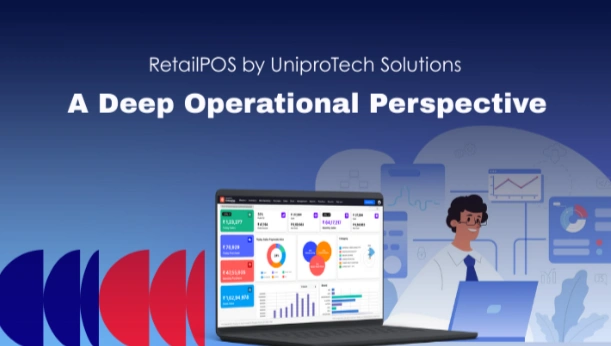
Feature-Problem Mapping, Success Stories, and Implementation Blueprint
a-deep-operational-perspective

Retail technology decisions are rarely made in a boardroom.
Theyโ€™re made on the shop floorย  after multiple failures, repeated workarounds, and cumulative operating friction.

RetailPOS by UniproTech Solutions is not just another POS system.
It is the outcome of two decades of iteration, real-world exposure, and operational discipline.
This article breaks down:

  • Where RetailPOS actually helps
  • How features map to real operational problems
  • What success looks like in practice
  • How implementations are planned and executed
  • What business outcomes organisations experience

This is not a product brochure.
This is a field report.

1. Retail Problems Most POS Systems Never Solve

Before we dive into where RetailPOS helps, itโ€™s important to understand why most POS deployments fail over time.

Years of field exposureย  including complex environments like fresh produce chains, multi-outlet FMCG formats, and hybrid grocery operationsย  reveal that the failure patterns are not random. They cluster around a few persistent operational realities:

A. Peak-Hour Performance Breakdown

In many stores, the system works fine until it doesnโ€™t.

A POS that responds instantly at low volumes may become sluggish during peak hours (5โ€“9 pm)ย  exactly when retailers cannot afford delays.

Symptoms include:

  • longer queues
  • skipped pricing scans

manual overrides that distort inventory

B. Inventory Reality vs. System Expectation

Most POS tools treat inventory as:

โ€œwhatโ€™s in stock minus whatโ€™s sold.โ€

But real retail inventory is messier:

  • items are bought in cartons but sold in loose units
  • expiry and freshness affect valuation
  • wastage is expected, not exceptional
  • stock isnโ€™t a static number โ€” it flows with business context

Systems that treat stock as static eventually break alignment with what stores actually experience.

C. Multi-Outlet Complexity

When a retailer goes from 1 store to 5+, issues multiply:

  • transfers are mis-recorded
  • store counts rarely reconcile
  • central office distrusts store numbers
  • stock drift becomes invisible until audit cycles

Generic POS tools often treat multi-outlet behaviour as an add-on, not an operational core requirement.

2. Feature-Problem Mapping โ€” Field-First

RetailPOS does not sell features.
It solves operational problems. Below is how specific capabilities map to real-world retail pain points.

A. Billing Workflows That Donโ€™t Fight Peak Pressure

Problem:
POS stalls on barcode scanning, price override latency, complex till operations during rush hours.

RetailPOS Outcome:

  • streamlined counter workflows
  • minimal clicks per bill
  • native weighing integration without step jumps
  • fast, predictive scanning logic

Most POS systems treat weighing or loose billing as a configuration afterthought; RetailPOS treats it as a fundamental grocery workflow.

This yields faster billing throughput and fewer manual overrides.

B. Inventory Accuracy That Matches Reality

Problem:
Inventory reports look right, but shelves say otherwise.

This comes from:

  • poor batch/expiry linkage
  • manual wastage entries
  • SKU hierarchy mismatches (carton โ†’ pack โ†’ loose unit)

RetailPOS Outcome:
Inventory movement is tightly integrated with:

  • expiry & batch logic
  • automatic wastage flow
  • inbound/outbound reconciliation
  • real-time accuracy at store and head-office level

Inventory reports start reflecting actual stock behaviour, not theoretical stock numbers.

C. Returns That Donโ€™t Break Your Books

Problem:
Returns are handled as a billing reversal, but GST, margins, and inventory get misaligned.

Under pressure, this creates:

  • wrong cost of goods sold
  • skewed margin reporting
  • head-office vs store discrepancies

RetailPOS Outcome:
Returns are modelled holistically โ€” they update:

  • inventory real counts
  • tax positions
  • margin calculation
  • customer history

This prevents โ€œfix laterโ€ workflows that always explode during reconciliation.

D. Multi-Outlet Visibility Without Manual Spreadsheets

Problem:
Once stores multiply, reconciliation becomes a weekly Excel marathon.

Stock between outlets drifts; receipts donโ€™t tie out.

RetailPOS Outcome:

  • centralised inventory engine
  • controlled transfers
  • outlet-aware SKU movements
  • store-level autonomy with central control

This reduces manual intervention and restores faith in the numbers hierarchy.

E. Offline Reality Is Treated As Normal

Problem:
Systems presume constant connectivity; even short network blips cause:

  • billing outages
  • data sync conflicts
  • lost transactions

RetailPOS Outcome:
Offline is not an edge caseย  itโ€™s part of everyday workflow.
This ensures billing continuity and conflict-free sync once connectivity resumes.

3. Success Stories โ€” Operational Realities Over โ€œFeature Checklistโ€

Rather than brand stories, here are condensed operational profiles showing how RetailPOS helped under real conditions.

A. Complex FMCG + Fresh Workflow

A mid-structured retailer faced:

  • rapid SKU expansion
  • combined SKU behaviours (packaged & fresh)
  • unplanned price variation

Over time, stock variance grew; wastage entries ballooned; daily reports lost credibility.

What changed with RetailPOS:

  • expiry & freshness flows became part of stock movement
  • wastage was contextualised instead of manual
  • pricing updates propagated without lag

The outcome was not dramatic dashboardsย 
it was a reduction in corrective work done outside the system.

B. Multi-Store Expansion

A growing grocery chain was struggling with:

  • inconsistent store practices
  • transfer anomalies
  • head office distrust of store data

RetailPOS introduced:

  • structured store-to-store movement
  • outlet hierarchies with permission control
  • reconciliation checkpoints

Within weeks, the head office started trusting store numbersย  something that had never

4. Implementation Blueprint โ€” How It Actually Works

Most POS implementations fail not because of poor planning but because planning assumes ideal operations.

Hereโ€™s how RetailPOS implementations differ:

Step 1 โ€” Live Operational Study

Instead of kickoff workshops with process charts, teams go into:

  • peak-hour observations
  • real billing flows
  • exception handling patterns

This grounds the implementation in what actually happens, not what the org chart says happens.

Step 2 โ€” Workflow Mapping First, Configuration Next

Rather than starting with feature checklists, the team documents:

  • current shortcuts
  • unavoidable exceptions
  • irregular patterns
  • offline pressures

Configuration maps to these realities, not a theoretical model.

Step 3 โ€” Controlled Autonomy

RetailPOS doesnโ€™t standardise everything rigidly.

Instead:

  • stores get flexibility where it matters operationally
  • central office retains control where it matters for accuracy

This balance prevents chaos and fragmentation.

Step 4 โ€” Iterate by Observation

Post-go-live support isnโ€™t about feature requests.
Itโ€™s about field observation:

  • Does peak-hour billing slow down?
  • Are exceptions multiplying?
  • Where do manual workarounds start?

Each such signal triggers a refinement, not a sprint plan.

5. Measurement โ€” Outcomes That Actually Matter

Success in retail is not measured in dashboards. Itโ€™s measured in:

A. Fewer Manual Workarounds

When teams stop maintaining notebooks, half-baked spreadsheets, or offline lists, the system is working.

B. Predictable Peak Performance

If billing stays fast under pressure, training stops being a blocker.

C. Reconciliation Confidence

When head office and outlets stop constantly disputing numbers.

D. Operational Continuity

Offline billing continues without data conflict. These are practical success metrics real retail operators care about not vanity metrics.

6. Why This Matters in 2026 and Beyond

By now, every retail system can generate a report.
But very few can remain stable under operational pressure, variation, and exceptions.

RetailPOS by UniproTech Solutions is not chosen because it ticks boxes.
Itโ€™s chosen because it behaves, even when operations stress test it.

For retailers evaluating modern POS/ERP platforms, the question isnโ€™t:

โ€œDoes this have feature X?โ€

Itโ€™s:

โ€œWill this still behave like my store does two years from now?โ€

Thatโ€™s the question operational reality forces โ€” and the one RetailPOS was built to answer.

A Deep Operational Perspective Read More ยป

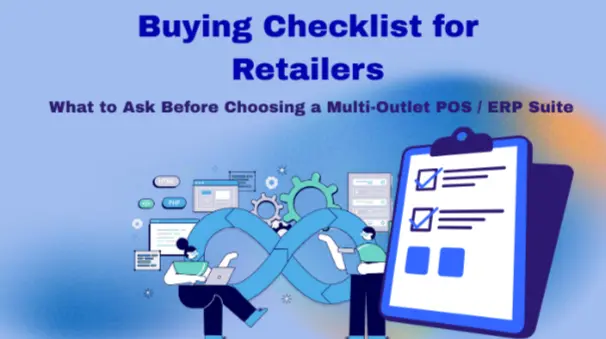
Buying Checklist for Retailers

What to Ask Before Choosing a Multi-Outlet POS / ERP Suite

buying-checklist-for-retailers

Retailers rarely regret buying a POS system on day one.
Regret usually starts six months laterย  when the second or third store opens, transaction volumes spike, inventory moves faster than expected, and the system starts resisting reality.

This checklist is written for retailers evaluating multi-outlet POS / ERP suites, not single-store billing tools. It is informed by implementations across mid-scale chains, fresh-heavy FMCG formats, and high-volume hypermarket environments, including deployments like Kurunji Retail (6+ stores), Paarrever (10+ stores), and JKH Fruit Ventures, where complexity shows up early and unforgivingly.

1. Does the System Assume Growth or React to It?

Most POS vendors say they support multi-store operations.
Fewer are designed assuming that growth is inevitable.

What to ask

  • At what point do customers typically face scaling issues?
  • How does performance change as outlets, users, and transactions increase?
  • Can the system handle uneven growth (one store doing 5ร— volume of another)?

In high-volume environmentsย  including hypermarket-style formats running thousands of bills per dayย  systems that were โ€œgood enoughโ€ at low scale often collapse under concurrency and data load.

Why RetailPOS ERP matters here
RetailPOS ERP by UniproTech Solutions has been implemented in environments where growth was not theoretical. Stores were added while operations were already under pressure. The system architecture and workflows were shaped assuming uneven scale, uneven load, and real operational messiness.

2. Inventory: Can the System Handle Reality, Not Theory?

Inventory is where most ERP systems quietly fail.

Ask specifically

  • How does the system handle stock transfers across outlets?
  • Are transfers first-class operations or treated as adjustments/sales?
  • How are batch, expiry, wastage, and unit conversions handled at scale?

In businesses like JKH Fruit Ventures and Paarrever, inventory is not static:

  • quality varies by inward
  • pricing changes based on freshness
  • wastage is operationally expected
  • stock moves rapidly across locations

JKH FRUIT VENTURES – FROOOS: https://youtu.be/toLc5eeoPEI?si=9VOtj48-oOiaNmYm

What to look for
A system that treats inventory as a living operational entity, not a ledger entry.

RetailPOS ERP has been shaped in environments where:

  • expiry flows directly into stock movement
  • wastage impacts inventory and margins together
  • carton โ†’ pack โ†’ loose unit logic must remain consistent across stores

If inventory only โ€œlooks rightโ€ in reports but not on shelves, the ERP will eventually be bypassed.

3. Peak-Hour Performance: The Non-Negotiable Test

No retailer loses customers because reports load slowly.
They lose customers because billing slows down at the worst possible moment.

Ask bluntly

  • What happens at peak hours with full concurrency?
  • How does billing behave with weighing, price overrides, and promotions?
  • Can you demonstrate real-world peak throughput?

In high-volume retailย  including large supermarkets and hypermarketsย  3โ€“4 seconds extra per bill compounds into queues, staff shortcuts, and data corruption.

RetailPOS ERP has been deployed in environments with:

  • sustained peak loads
  • heavy basket sizes
  • continuous counter activity

The emphasis has always been predictable performance, not feature depth.

4. Offline and Failure Scenarios: Planned or Ignored?

Connectivity failures are not edge cases in retail. They are expected.

Ask

  • What continues to work when the network drops?
  • How does data sync resolve conflicts?
  • What breaks first during outages?

In multi-outlet setups, a single failure can cascade across locations if not handled properly.

RetailPOS ERP is built with offline-first assumptions, allowing:

  • uninterrupted billing
  • controlled sync once connectivity returns
  • prevention of duplicate or corrupt data

This is particularly critical in high-traffic formats where downtime is not an option.

5. Store Autonomy vs Central Governance

One of the hardest balances in multi-outlet retail.

Ask

  • What decisions can store managers make independently?
  • What is centrally enforced?
  • How do you prevent โ€œlocal fixesโ€ from breaking global consistency?

In chains like Kurunji Retail –ย  https://youtu.be/7ks8WXLwP-c?si=nbjorw8FT38iFpIw, operational success depended on:

  • allowing store-level flexibility for speed and local conditions
  • maintaining central visibility and control for accuracy and compliance

RetailPOS ERP is designed to support controlled variation, not forced uniformity.

6. ERP Depth and Security: Beyond Billing

A true ERP suite must answer questions beyond โ€œDid the bill go through?โ€

Ask

  • How are roles, permissions, and data access controlled?
  • How is sensitive data protected across outlets and users?
  • How are audit trails, approvals, and overrides tracked?

As store counts grow, security failures are operational failures.

RetailPOS ERP includes:

  • role-based access controls
  • outlet-specific permissions
  • traceability for overrides and adjustments

Security is embedded into workflows, not bolted on as compliance theatre.

7. Customisation Without Fragility

Every retailer is different. Not every system survives that reality.

Ask

  • How is customisation handled โ€” configuration or code?
  • How do upgrades work with customized workflows?
  • How many live customers run non-standard workflows at scale?

RetailPOS ERP implementations across Paarrever, JKH, and larger formats required adaptation but always with an emphasis on maintainability and stability, not one-off hacks.

Customisation that cannot scale is technical debt in disguise.

8. Implementation Methodology: This Decides Everything

Most ERP failures are implementation failures.

Ask

  • Do you study live store operations before configuration?
  • How are differences between outlets handled?
  • What does a failed implementation usually look like?

RetailPOS ERP implementations typically begin with:

  • observing peak-hour behaviour
  • identifying informal workarounds
  • aligning workflows to reality

Systems that are configured for ideal behaviour rarely survive real retail.

9. Support Under Pressure

Support quality matters most when things go wrong.

Ask

  • Who supports us during peak hours?
  • Does support understand retail operations or just tickets?
  • How are recurring issues fed back into product improvement?

In high-volume environments, response time and domain understanding matter more than SLAs on paper.

10. The Long-Term Question Most Retailers Skip

Before signing, ask yourself:

  • Will this system still work if volume doubles?
  • If our business model changes, can the system adapt?
  • Are we buying softwareย  or a long-term operational partner?

RetailPOS ERP by UniproTech Solutions is typically chosen by retailers who already know one truth:

Retail does not stabilize.
Systems that assume it will tend to fail quietly.

Closing Thought

If a POS / ERP vendor cannot explain:

  • where their system struggles
  • how it behaves under pressure
  • and how it adapts over time

they probably havenโ€™t lived inside real retail operations.

The best systems are not perfect.
They are resilient, secure, and operationally honest.

Check out in real case scenario how much crowd our solutions can hold at peak billing hours: https://youtu.be/58-Q06FbFmI?si=kaDLEgIVWJnA7B-b

Buying Checklist for Retailers Read More ยป

How to Secure Your Retail Billing System Against Fraud and Misuse

how-to-secure-your-retail-billing-system-against-fraud-and-misuse

In retail operations, billing is one of the most critical control points.
Even minor irregularities at the billing counter, when repeated consistently, can lead to significant revenue leakage especially in businesses operating multiple stores and counters.

One such scenario frequently observed in retail environments is under-billing:

Items worth โ‚น5,000 are billed at โ‚น4,500,
the full cash amount is collected from the customer,
and the remaining amount never enters the system.

There is no bill cancellation, no refund entry, and no immediate mismatch at the counter.
At a glance, the transaction appears legitimate.

However, when billing systems are connected to ERP-level analytics, such activities leave identifiable data patterns.

With more than two decades of experience working closely with retail businesses, Uniprotech RetailPOS has encountered numerous variations of billing misuse across supermarkets, pharmacies, and large retail chains. This article outlines how ERP integrated POS systems help identify and prevent such frauds.

Why Billing Fraud Often Goes Unnoticed in Chain Retail

Billing fraud does not usually occur as a one-time event. Instead, it:

  • Happens in small values
  • Repeats over long periods
  • Blends into daily transactions

In multi-store environments, manual supervision and random audits are rarely sufficient.
This is where centralized ERP visibility becomes essential.

Common Types of Billing Fraud in Retail POS Systems

Over time, certain billing misuse patterns appear repeatedly across retail formats. Understanding these helps retailers apply the right controls.

1. Partial Billing Without Bill Cancellation

In this case:

  • Only a portion of items are billed
  • The customer pays the full amount in cash
  • The system records a lower bill value

Because no cancellation or refund is involved, detection requires behavioral and pattern-based analysis rather than transaction-level checks.

2. Bill Cancellation After Payment Collection

Here:

  • A bill is created and payment is collected
  • The bill is later voided or deleted
  • Cash does not get accounted for in the system

ERP systems track cancellation frequency, timing, and user activity to identify anomalies.

3. Refund or Return Manipulation

Fraudulent refund entries may be created:

  • Without actual product returns
  • Using old or unrelated transactions

Such actions are often revealed through unusual refund patterns tied to specific users or shifts.

4. Excessive or Unauthorized Discounts

Repeated manual discounts, especially without approval, can:

  • Reduce margins quietly
  • Go unnoticed in daily summaries

ERP reports highlight discount trends by cashier, store, and time period.

5. Inventory and Billing Discrepancies

When inventory depletion does not match billed sales, it can indicate:

  • Unbilled movement
  • Partial billing
  • Process misuse

ERP-level correlation between stock and billing helps surface these inconsistencies.

6. Repeated Patterns Across Multiple Stores

In chain retail, similar billing behaviors may surface across:

  • Different outlets
  • Different cashiers
  • Extended periods

ERP systems identify these patterns through cross-store comparisons, enabling early intervention.

Latest Trends in Billing and Payment Frauds in Retail

Billing and payment fraud in retail is evolving rapidly.
As businesses adopt digital payments, ERP systems, and centralized billing, fraud patterns are also becoming more sophisticated.

Today, fraud is not limited to external threats. In many cases, it originates within the store, often exploiting gaps in processes, permissions, or visibility.

Below are some of the key billing and payment fraud trends retailers should be aware of.

1. Internal Misuse by Authorized Staff

Recent industry studies indicate that a significant number of fraud incidents originate internally. Trusted staff may misuse their access by:

  • Cancelling bills after collecting payment
  • Creating fake refunds or returns
  • Applying unauthorized discounts during unattended hours

These activities often go unnoticed when controls rely only on end-of-day checks.

How Retail POS Helps:

ERP-integrated Retail POS systems use:

  • Role-based access controls
  • User-level activity logs
  • Real-time monitoring of cancellations, refunds, and discounts

This helps detect internal misuse early, before losses accumulate.

2. Digital Paymentโ€“Related Frauds

With the rise of UPI, wallets, and QR-based payments, new fraud risks have emerged at billing counters, including:

  • Fake or replaced QR codes
  • Misuse of โ€œcollect requestโ€ features
  • Payments diverted to personal UPI IDs instead of official business accounts

Such issues are harder to trace if billing and payment systems operate separately.

How Retail POS Helps:
Retail POS systems integrated with secure payment gateways ensure:

  • Payments are linked directly to billing transactions
  • Only authorized QR codes and payment IDs are used
  • Reduced dependency on manual verification by staff
3. Gift Card and Voucher Misuse

Gift cards and vouchers introduce another layer of risk when not properly tracked. Common misuse scenarios include:

  • Issuing gift cards without recording them in the system
  • Redeeming vouchers fraudulently
  • Manipulating balances or expiry details

Without system-level controls, these frauds can remain invisible for long periods.

How Retail POS Helps:
ERP-based billing systems track:

  • Gift card issuance and redemption
  • Balances and expiry dates
  • Approval workflows for high-value vouchers

This ensures accountability and audit readiness.

4. Delayed Detection Due to Lack of Real-Time Visibility

Many small and mid-sized retail businesses still rely on:

  • End-of-day reports
  • Weekly or monthly reviews

By the time discrepancies are noticed, identifying the root cause becomes difficult.

How Retail POS Helps:
Real-time dashboards and alerts enable retailers to:

  • Monitor billing activity as it happens
  • Get instant alerts for unusual cancellations, refunds, or discounts
  • Act quickly before issues escalate
How to Secure Your Billing System Against Misuse

Protecting your billing system does not require complex IT infrastructure or expensive security tools.
Even small and mid-sized retail businesses can significantly reduce billing misuse by applying a few well-defined controls supported by the right technology.

A secure billing system is one that is transparent, traceable, and monitored continuously. Below are practical steps retailers can take to strengthen billing security and reduce revenue leakage.

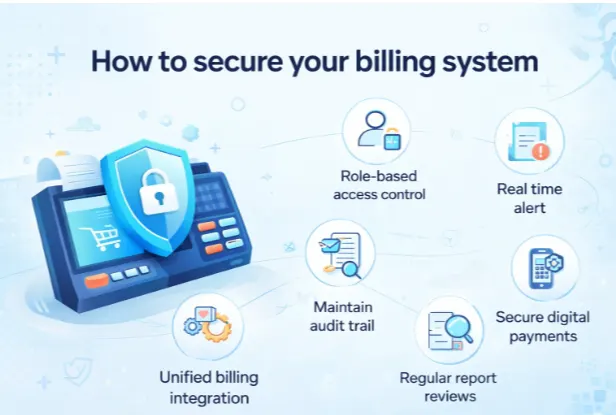
1. Control Access Based on Roles, Not Convenience

One of the biggest risks in billing systems is unrestricted access.
When multiple employees share logins or have full system permissions, it becomes difficult to track responsibility and misuse becomes easy.

A safer approach is to define role-based access where permissions are assigned strictly based on job responsibility.

Typical role separation:

  • Cashier: Create bills and accept payments
  • Supervisor: Approve discounts, returns, or corrections
  • Owner/Admin: Access reports, logs, and configuration settings

This ensures employees can perform only the actions relevant to their role.

Why this matters:
If bill cancellations or refunds require supervisor approval, every exception has a clear authorization trailโ€”discouraging misuse and improving accountability.

2. Monitor Activity in Real Time, Not After the Damage

Reviewing reports days later often means the problem has already grown.
Real-time monitoring allows you to act while the activity is happening.

A secure billing system should flag unusual actions such as:

  • Frequent bill cancellations
  • High-value refunds
  • Discounts beyond permitted limits
  • Price edits or negative sales entries

Example:
If multiple bills are cancelled within a short period, the system can notify you immediately. Even if you are not physically present at the store, you can review the activity remotely and take action.

Real-time visibility creates awareness among staff that billing actions are continuously monitored.

3. Maintain a Complete and Tamper-Proof Audit Trail

Every secure billing system needs a detailed audit trail a permanent record of all activity.

This includes:

  • Who performed the action
  • What was changed
  • When it was done
  • From which terminal or user account

Audit trails help businesses:

  • Investigate discrepancies quickly
  • Identify responsibility without assumptions
  • Maintain compliance and internal discipline

Example:
If a refund is processed without the item being physically returned, the audit log shows exactly who approved it and when making follow-up straightforward and factual.

4. Connect Billing with Inventory and Accounting

Disconnected systems create blind spots.
When billing, inventory, and accounts operate independently, inconsistencies are harder to detect and easier to exploit.

By integrating billing with inventory and accounting:

  • Stock levels update automatically with every sale
  • Accounts reflect transactions in real time
  • Any deletion or adjustment creates visible mismatches

Example:
If a bill is removed after a sale, inventory movement no longer aligns with sales data triggering a red flag that requires review.

Integration closes loopholes that manual checks often miss.

5. Review Reports for Patterns, Not Just Totals

Fraud rarely appears as a single large incident.
It usually emerges as repeated small actions that follow a pattern.

Key reports to review regularly:

  • Discount reports: Identify repeated or unusually high discounts
  • Refund and return logs: Detect excessive or irregular refund activity
  • Void bill reports: Track frequency and reasons for cancellations

Example:
If refunds are consistently issued by the same user during late shifts, it warrants closer attention.

Regular review sends a clear message: every billing action is visible and accountable.

6. Secure Digital Payment Processes

Digital payments have simplified billing but also introduced new risks if not managed properly.

Common risks include:

  • Replacement of official QR codes with personal ones
  • Misuse of โ€œcollect requestโ€ features
  • Payments diverted to personal UPI IDs

To reduce these risks:

  • Use verified, official business QR codes only
  • Integrate digital payments directly with the billing system
  • Reconcile digital transactions daily against billing records

This ensures payments cannot bypass the system.

7. Educate Staff and Build Awareness

Technology alone is not enough.
Many billing issues arise due to lack of awareness rather than malicious intent.

Regular training helps employees:

  • Follow standard billing procedures
  • Avoid password sharing
  • Verify payments before confirming sales
  • Report suspicious behavior early

When staff understand why controls exist, they are more likely to follow themโ€”and less likely to misuse them.

educate-staff-and-build-awareness
How Uniprotech RetailPOS Supports Secure Billing

Uniprotech RetailPOS is designed with built-in controls that help retailers prevent billing misuse without disrupting daily operations.

Key security capabilities include:

  • Role-based permissions for every user
  • Real-time alerts for cancellations, refunds, and discounts
  • Integrated billing, inventory, and accounting
  • Approval workflows for sensitive actions
  • Session-level tracking and shift handover controls
  • Cash and digital payment reconciliation
  • Complete audit logs with secure backups
  • Optional integrations such as weighing scales for accurate billing

These features work together to create a billing environment where every transaction is traceable and every exception is visible.

How ERP-Integrated POS Systems Detect Billing Irregularities
Monitoring Billing Behavior

Modern POS systems log every cashier interaction, including:

  • Item scans
  • Bill edits
  • Time spent per transaction
  • Finalization behavior

ERP analytics evaluate these logs to detect deviations from normal billing patterns.

End-of-Day Settlement Analysis

Beyond simple cash tallies, ERP systems analyze:

  • Average bill values
  • Cash vs digital payment ratios
  • Shift-wise performance

Consistent deviations from store or chain averages become visible over time.

Peer-Level Comparison

Instead of fixed rules, ERP systems compare:

  • Cashier performance against peers
  • Counter behavior within the same store
  • Trends across similar outlets

This approach highlights anomalies without alerting the cashier.

Inventory and Billing Correlation

By reviewing inventory movement alongside sales data, ERP systems can identify gaps that may indicate under-billing or misuse.

Post-Transaction Traceability

Even when irregularities are detected later, ERP logs allow businesses to:

  • Review historical activity
  • Reconstruct billing behavior
  • Base decisions on data rather than assumptions
Why ERP-Based Fraud Prevention Is More Effective

Manual checks rely heavily on observation and intuition.
ERP-based systems rely on data consistency, trend analysis, and centralized visibility.

For multi-chain retail operations, this approach enables:

  • Early detection
  • Reduced revenue leakage
  • Scalable control across locations
Final Thought

Billing misuse often begins with small actionsโ€”an unapproved discount, a cancelled bill, or a missing entry.
Left unchecked, these actions quietly erode profits and trust.

The most effective protection comes from clear controls, continuous visibility, and systems that operate consistently without fatigue or bias.

With a secure, ERP-integrated Retail POS system, businesses can move from reactive checks to proactive control ensuring that every transaction is accounted for and every rupee is protected.

Frequently Asked Auestions

Billing fraud in retail is any manipulation of the billing or payment process that results in incorrect sales records or revenue loss. This includes under-billing, fake refunds, unauthorized discounts, and bill cancellations after payment collection.

Billing fraud typically occurs through internal misuse such as partial billing, refund manipulation, excessive discounts, or diverting digital payments. These actions often exploit weak controls, shared logins, or lack of monitoring.

Yes. Under-billing fraud can occur without bill cancellation when only part of the items are billed while full payment is collected. This type of fraud is detected through pattern analysis, not single transactions.

No. End-of-day settlement only checks cash balance and does not reveal how transactions were processed. Real-time monitoring and activity logs are required to detect billing misuse early.

Role-based access restricts system actions based on job roles. It ensures that cashiers, supervisors, and admins can only perform authorized actions, improving accountability and reducing misuse.

An audit trail is a complete record of all billing activities, including edits, refunds, cancellations, and approvals. It logs who performed each action, when it occurred, and what was changed.

ERP integration connects billing, inventory, and accounting systems. This ensures all transactions are automatically synchronized, making mismatches and fraudulent activity easier to detect.

Digital payments reduce cash handling risks but introduce new fraud types such as QR code misuse or payment diversion. The safest approach is to integrate digital payments directly with the POS system and reconcile them daily.

How to Secure Your Retail Billing System Against Fraud and Misuse Read More ยป

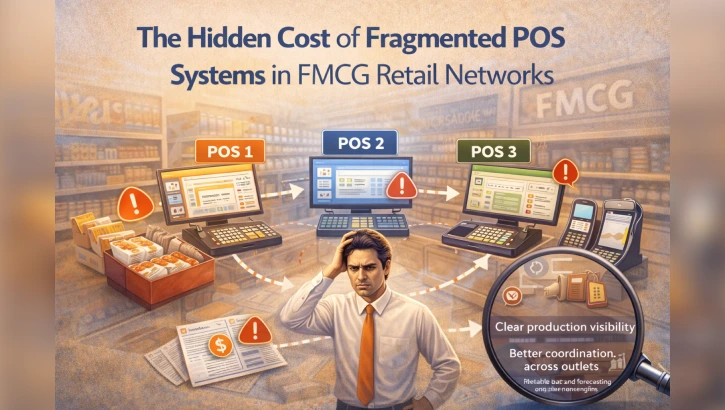
The Hidden Cost of Fragmented POS Systems in FMCG Retail Networks

the-hidden-cost-of-fragmented-pos-systems-in-fmcg-retail-networks
Why Disconnected Retail Systems Are Holding FMCG Growth Back

For FMCG brands, retail is where demand becomes revenue. This is especially true in high-scale markets like Tamil Nadu and South India, where FMCG ecosystems span staples, spices, dairy, edible oils, and personal care categories.

Brands operating at this scale such as staples and masala leaders like Aachi, Sakthi Masala, and MTR, dairy-focused enterprises similar to Hatsun, and edible oil or packaged food brands depend heavily on efficient retail execution. Yet many FMCG retail networks still operate on fragmented POS systems.

At first glance, these systems appear to work: billing happens, inventory moves, reports are generated. But beneath the surface, fragmentation creates hidden costs that silently erode efficiency, insight, and scalability.

For FMCG enterprises managing thousands of SKUs across distributors, supermarkets, and modern trade outlets, these hidden costs add up faster than most organizations realize.

What Does โ€œFragmented POSโ€ Really Mean?

Fragmented POS environments typically look like this:

  • Different POS software across stores or regions
  • POS systems not integrated with ERP or central inventory
  • Manual data uploads and reconciliation
  • Store-level reports that donโ€™t align with enterprise data

This setup is common in FMCG-driven retail networks that have grown organically adding stores, distributors, or partners over time without a unified retail technology strategy. Many long-established South Indian FMCG groups have scaled distribution successfully, but retail systems often evolve unevenly along the way.

The First Hidden Cost: Data Silos Across the Retail Network

When POS systems operate in isolation, data becomes siloed at the store or partner level.

This leads to:

  • Delayed visibility into sales performance
  • Inconsistent SKU-level data across regions
  • Inability to track real-time secondary and tertiary sales

For FMCG brands handling high-velocity categories such as staples and spices (Aachi, Sakthi Masala, MTR), dairy and perishables (Hatsun-style operations), and edible oils or packaged foods, even a small delay in sales visibility can distort demand forecasting and replenishment decisions.

Instead of acting on real consumption data, teams are forced to rely on historical snapshots and manual summaries.

The Second Hidden Cost: Manual Reconciliation and Operational Drag

Fragmented POS systems almost always require manual reconciliation.

Common symptoms include:

  • Sales data not matching inventory movement
  • Frequent adjustments during month-end closing
  • Discrepancies between distributor, retailer, and enterprise reports

Operations, finance, and IT teams spend a disproportionate amount of time resolving data mismatches instead of focusing on growth, optimization, or strategy. This operational drag is frequently seen in FMCG retail networks that have expanded across regions and formats over many years.

Over time, this manual effort becomes normalizedโ€”yet it represents a significant, ongoing cost.

The Third Hidden Cost: Lost Insights at the SKU and Store Level

Perhaps the most damaging impact of fragmented POS systems is lost insight.

Without unified retail data, FMCG brands struggle to answer basic but critical questions:

  • Which SKUs are actually driving growth at the store level?
  • Where are stock-outs happening, and why?
  • How effective are promotions across regions and formats?

For FMCG enterprises operating at scale especially those managing wide SKU portfolios across categories like food, dairy, oils, and personal careโ€”these insight gaps donโ€™t just slow decision-making. They lead to missed opportunities and reactive planning.

Fragmentation Breaks the AI and Analytics Promise

Many FMCG organizations talk about AI, advanced analytics, and predictive insights. But AI is only as good as the data feeding it.

Fragmented POS environments result in:

  • Incomplete datasets
  • Inconsistent data formats
  • Delayed data availability

This makes it nearly impossible to apply AI meaningfully across demand forecasting, inventory optimization, or retail execution.

In practice, unified retail data not algorithms is the real foundation of intelligent FMCG operations, particularly for high-volume South Indian FMCG ecosystems.

Why This Problem Grows as FMCG Brands Scale

Fragmentation becomes more expensive as FMCG brands grow.

As operations eย  xpand:

  • SKU counts increase
  • Store formats diversify
  • Regional demand patterns vary more widely

What was manageable at 10 or 50 stores becomes unsustainable at hundreds or thousands. At this stage, the cost of not fixing retail fragmentation far exceeds the cost of modernizing systems.

The Shift Toward Unified Retail Platforms

Leading FMCG brands and retail networks are now moving toward unified POS and ERP platforms that provide:

  • Real-time sales and inventory visibility
  • Centralized pricing and SKU control
  • Consistent reporting across stores and partners
  • Seamless integration with enterprise systems

As FMCG portfolios grow in depth and geographic reach often seen in large regional groups across food, dairy, and personal careโ€”unified retail platforms become essential to maintain control without adding operational complexity.

Uniprotechโ€™s Perspective: Retail Data as a Strategic Asset

At Uniprotech, we see fragmented POS systems as one of the biggest blockers to scalable FMCG growth.

Our experience across large retail and enterprise environments shows that:

  • Unified retail platforms reduce reconciliation effort dramatically
  • Clean, real-time data enables better forecasting and execution
  • Retail-first automation strengthens collaboration between brands and retailers

When POS, ERP, analytics, and inventory operate as one system, retail data stops being a reporting burden and becomes a strategic asset.

Final Thought: The Cost You Donโ€™t See Is the One That Hurts Most

Fragmented POS systems donโ€™t fail loudly. They fail quietly through inefficiency, lost insight, and slow decision-making.

For FMCG brands operating in competitive, high-velocity markets, these hidden costs compound over time.

The future of FMCG retail belongs to organizations that recognize this earlyโ€”and invest in unified, retail-first systems that turn data into intelligence and scale into advantage.

About Uniprotech

Uniprotech builds enterprise-grade Retail POS, ERP, and automation platforms designed for FMCG and multi-store retail ecosystems. Our solutions help brands and retailers eliminate fragmentation, improve visibility, and scale operations with confidence.

Frequently Asked Auestions

A fragmented POS system refers to retail environments where different stores or regions use disconnected POS software that is not integrated with ERP or central inventory systems. This leads to data silos, manual reconciliation, and inconsistent reporting across the FMCG retail network.

Fragmented POS systems delay sales visibility, create inventory mismatches, and prevent FMCG brands from accessing real-time retail data. Over time, this results in lost insights, operational inefficiencies, and slower decision-making.

Data silos prevent FMCG enterprises from seeing accurate, consolidated sales and inventory information across stores and distributors. This affects demand forecasting, replenishment planning, promotion effectiveness, and overall retail execution.

Manual reconciliation consumes significant time across finance, operations, and IT teams. It increases the risk of errors, delays month-end closing, and diverts resources away from growth, optimization, and strategic initiatives.

AI and advanced analytics depend on clean, consistent, and real-time data. Fragmented POS systems produce incomplete and delayed datasets, making it difficult to apply AI effectively for forecasting, inventory optimization, and retail performance analysis.

A unified POS and ERP platform provides real-time visibility into sales, inventory, and pricing across all stores and partners. It eliminates data silos, reduces reconciliation effort, and creates a single source of truth for enterprise-wide decision-making.

While large FMCG enterprises benefit the most, unified retail automation is also valuable for growing regional brands. Scalable POS and ERP platforms allow businesses to modernize incrementally as their retail networks expand.

FMCG brands can begin by standardizing POS systems across key retail partners, integrating POS with ERP and inventory systems, and adopting retail-first automation platforms that support phased deployment.

The Hidden Cost of Fragmented POS Systems in FMCG Retail Networks Read More ยป

Why AI POS Is Becoming Mandatory for Modern Retail in 2026

ai-pos-is-becoming-mandatory

Introduction: Retail Is Entering an AI-First Era

Retail in 2026 will look very different from what it is today. Customer expectations are rising, operational costs are increasing, and high-footfall environments such as airports, malls, and large retail chains are under constant pressure to deliver faster, smarter, and more seamless experiences.

At the center of this transformation is a clear shift:
AI-powered POS systems are no longer optional – they are becoming mandatory for modern retail.

Traditional POS systems that only handle billing are quickly being replaced by AI POS platforms integrated with Retail ERP, capable of real-time insights, automation, and enterprise-scale control.

Why Traditional POS Systems Are No Longer Enough

For years, POS systems were designed to do one thing: process transactions. But modern retail demands much more.

Traditional POS systems struggle with:

  • High transaction volumes during peak hours
  • Real-time inventory accuracy
  • Multi-store and multi-location visibility
  • Data-driven decision-making
  • Predicting demand and preventing stock-outs

In high-footfall retail environments, these limitations directly impact customer experience, revenue, and operational efficiency. As retail grows more complex, basic POS systems are becoming a bottleneck rather than an enabler.

What Is AI POS?

An AI-powered POS system goes beyond billing by using intelligent analytics and automation to improve everyday retail operations.

AI POS systems are designed to:

  • Analyze real-time sales patterns
  • Predict peak-hour demand
  • Reduce billing errors
  • Provide actionable insights to store managers
  • Integrate seamlessly with Retail ERP platforms

Instead of reacting to problems after they occur, AI POS helps retailers anticipate, optimize, and scale intelligently.

Why AI POS Is Becoming Mandatory in 2026

1. Retail Is Moving Toward High-Speed, High-Volume Checkout

Customers today expect:

  • Shorter queues
  • Faster checkout
  • Contactless and self-service options

AI POS systems, especially when integrated with self-checkout kiosks, ensure fast, accurate transactions even during peak hours. In 2026, speed will not be a competitive advantageย  it will be a baseline requirement.

2. Data-Driven Decisions Are No Longer Optional

Modern retail success depends on data. AI POS systems provide:

  • Real-time sales analytics
  • Product performance insights
  • Demand forecasting
  • Smarter inventory planning

Retailers that rely on manual reports or delayed data risk overstocking, stock-outs, and lost revenue. AI POS enables real-time, data-backed decision-making.

3. High-Footfall Locations Demand Intelligent Systems

Airports, malls, hypermarkets, and large infrastructure projects face unpredictable demand spikes. AI POS systems help retailers:

  • Predict peak periods
  • Allocate staff efficiently
  • Maintain inventory accuracy
  • Deliver consistent customer experiences

In such environments, traditional POS systems simply cannot keep up.

The Role of Retail ERP in AI POS Adoption

AI POS systems are most powerful when backed by a Retail ERP platform.

Retail ERP acts as the backbone by:

  • Centralizing inventory across locations
  • Synchronizing sales and pricing in real time
  • Managing multi-store operations
  • Providing enterprise-grade reporting and controls

Together, AI POS + Retail ERP create a connected retail ecosystem that supports scale, automation, and long-term growth.

AI POS and Self-Checkout: A Natural Combination

Self-checkout kiosks are rapidly becoming standard in modern retail. However, without intelligence behind them, kiosks can create operational challenges.

AI POS integrated with Retail ERP ensures:

  • Real-time inventory updates from kiosks
  • Pricing consistency across all checkout points
  • Accurate reporting and analytics
  • Reduced shrinkage and errors

In 2026, self-checkout without AI and ERP integration will be considered incomplete.

Benefits of AI POS for Modern Retailers

Retailers adopting AI POS systems gain clear advantages:

  • Faster and more accurate checkout
  • Reduced operational costs
  • Improved inventory planning
  • Better customer experiences
  • Scalable multi-location operations
  • Real-time business visibility

These benefits directly impact profitability and customer loyalty โ€” two key drivers of retail success.

Industries Leading AI POS Adoption

AI POS adoption is accelerating across:

  • Airport retail
  • Hypermarkets and supermarkets
  • Large retail chains
  • Food courts and QSRs
  • Smart city and infrastructure projects

As competition intensifies, AI POS is becoming the standard technology foundation for enterprise retail.

How Retailers Can Prepare for AI POS in 2026

Retailers planning to stay competitive should:

  1. Evaluate current POS limitations
  2. Adopt AI-ready POS platforms
  3. Integrate POS with a robust Retail ERP
  4. Enable self-checkout and automation
  5. Focus on data-driven operations

Early adoption ensures smoother transitions and long-term cost efficiency.

Conclusion: AI POS Is No Longer the Future , Itโ€™s the Requirement

The retail industry is at a turning point. By 2026, retailers relying on traditional POS systems will struggle to meet customer expectations and operational demands.

AI-powered POS systems, integrated with Retail ERP and self-checkout technologies, are becoming mandatory for modern retail.

Retailers that act now will gain a decisive advantage. Those that wait will face higher costs, slower operations, and lost opportunities.

Future-Proof Your Retail with Retail POS

Ready to prepare your business for the future of retail?

Retail POS helps enterprises deploy AI-powered POS systems integrated with Retail ERP and self-checkout, built for high-footfall, high-growth environments.

Frequently Asked Auestions

An AI POS system uses intelligent analytics to process sales data, predict demand, reduce billing errors, and improve checkout efficiency. It works best when integrated with a Retail ERP for centralized control.

In 2026, retailers face higher customer expectations, peak-hour pressure, and operational complexity. AI POS enables faster checkout, real-time insights, and data-driven decisions that traditional POS systems cannot deliver.

Traditional POS systems focus only on billing. AI POS systems analyze sales patterns, forecast demand, optimize inventory, and provide actionable insightsโ€”especially when connected to a Retail ERP platform.

Yes. High-footfall environments such as airports and malls require AI POS to handle peak traffic, reduce queues, maintain inventory accuracy, and deliver consistent customer experiences at scale.

Yes. AI POS integrated with self-checkout kiosks ensures real-time inventory updates, pricing consistency, accurate reporting, and smoother operations across all checkout points.

Retail ERP acts as the backbone for AI POS by managing inventory, sales data, pricing, and multi-store operations in real time. Together, they create a scalable and intelligent retail ecosystem.

Why AI POS Is Becoming Mandatory for Modern Retail in 2026 Read More ยป

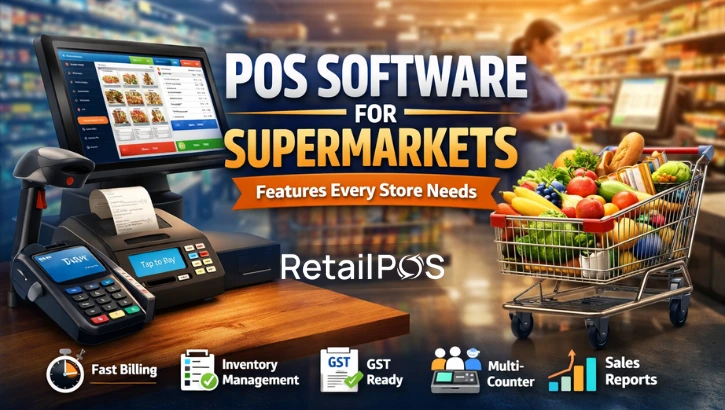
POS Software for Supermarkets: Features Every Store Needs

features-every-store-needs

Running a supermarket is a high-volume, fast-paced business. With hundreds or thousands of products, multiple billing counters, frequent offers, and constant inventory movement, manual systems or basic billing software are no longer enough.

This is why modern supermarkets rely on POS software designed specifically for supermarket operations to manage billing, inventory, pricing, and reports efficiently from a single system.

1. Why Supermarkets Need Specialized POS Software

Unlike small retail shops, supermarkets deal with high daily transaction volumes, barcode-based fast billing, multiple counters and cashiers, large and fast-moving inventory, and frequent price changes and promotions.

Without the right POS software, supermarkets face billing delays, stock mismatches, billing errors, and revenue leakage.

2. Essential POS Software Features Every Supermarket

2.1 Fast and Accurate Billing

Speed at the billing counter directly impacts customer experience.
A good supermarket POS should support barcode scanning, quick item lookup, multiple payment modes such as cash, card and UPI, and split payments and refunds.

2.2 Real-Time Inventory Management

POS software must allow supermarkets to track stock levels in real time, receive low-stock alerts, identify fast-moving and slow-moving products, and reduce overstocking and stock-outs.

2.3 Multi-Counter and Multi-User Support

A supermarket POS should support multiple billing counters, allow multiple users to work simultaneously, sync data across counters in real time, and provide role-based access control.

2.4 Centralized Pricing and Offers

POS software should allow supermarkets to manage pricing centrally, apply discounts and offers automatically, avoid manual billing errors, and maintain pricing consistency across all counters.

2.5 GST-Compliant Billing and Reports

For Indian supermarkets, POS software must provide GST-ready invoices, HSN-based tax calculation, consolidated GST sales reports, and easy access to data required for GST filing.

2.6 Purchase and Vendor Management

A good POS system helps manage purchase orders, vendor-wise pricing, goods receipt entries, and supplier payment tracking, improving vendor coordination and stock planning.

2.7 Detailed Sales and Business Reports

Supermarket POS software should provide daily, weekly, and monthly sales reports, category-wise and item-wise performance, profit margin analysis, and staff performance tracking.

ย 

2.8 Offline Billing with Auto Sync

POS software must support offline billing during internet issues and automatically sync data once connectivity is restored to ensure uninterrupted operations.

3. How the Right POS Software Helps Supermarkets Grow

With the right POS system, supermarkets can

  1. Reduce billing time and billing errors
  2. Improve inventory accuracy
  3. Control multiple billing counters efficiently
  4. Make better purchasing decisions
  5. Increase customer satisfaction

Solutions like Retail POS are built to meet real supermarket needs by combining billing, inventory management, GST compliance, and reporting in one system.

4. Choosing the Right POS Software for Your Supermarket

Before selecting a POS system, ensure that it

  1. Is designed specifically for supermarket workflows
  2. Scales as your business grows
  3. Supports GST and Indian compliance
  4. Provides reliable support and training

A POS system is not just billing software. It is a complete supermarket management solution.

5. Final Thoughts

Supermarkets using outdated or manual systems often struggle with inefficiencies and hidden losses. Investing in the right POS software helps supermarkets operate faster, smarter, and more profitably.

Choosing the right POS software is the first step toward better control, higher efficiency, and long-term growth.

Book a free demo today and see how a modern POS system can transform the way your supermarket operates.

Unipro Tech Solutions

Website:www.uniprotech.co.in
Phone:044-421 421 40
Email:salesenquiry@uniprotech.co.in

Frequently Asked Auestions

POS software for supermarkets is a complete billing and management system designed to handle high transaction volumes, barcode billing, inventory tracking, GST compliance, and reporting for supermarkets.
Supermarkets manage thousands of products, multiple billing counters, and frequent offers. Specialized POS software helps reduce billing errors, manage inventory accurately, and ensure faster checkouts.
Yes. A good supermarket POS system tracks stock levels in real time, provides low-stock alerts, identifies fast-moving and slow-moving items, and supports stock transfers and purchase planning.
Yes. Supermarket POS software supports GST-compliant billing with HSN codes, tax calculations, GST invoices, and consolidated GST reports for easy filing in India.
Yes. Supermarket POS software allows multiple billing counters and users to operate simultaneously with real-time data sync and role-based access control.
Yes. Many POS systems, including Retail POS, support offline billing and automatically sync data once the internet connection is restored.

POS Software for Supermarkets: Features Every Store Needs Read More ยป

Why Retailers Need GST-Ready POS Software in 2026

Why Retailers Need GST-Ready POS Software in 2026

GST compliance has become more complex for retail stores and supermarkets in recent years. With frequent rule updates, multiple tax slabs, stricter audits, and digital return filing, managing GST manually is no longer practical.

In 2026, retailers who still rely on basic billing systems or manual processes face higher risks of errors, penalties, and compliance issues. This is why GST-ready POS software is no longer optional, it is essential.

This blog explains why retailers need GST-ready POS software, how it simplifies compliance, and how it helps businesses grow without tax stress.

What Is GST-Ready POS Software

GST-ready POS software is a billing and retail management system designed to handle all GST requirements automatically. It helps retailers by:
  • Applying correct GST rates to products
  • Generating GST-compliant invoices
  • Managing multiple GST slabs in a single bill
  • Tracking returns, discounts, and credit notes
  • Preparing accurate GST reports for return filing
For supermarkets and multi-store retailers, GST-ready POS software ensures consistency and accuracy across all outlets.

Why GST Compliance Is Challenging for Retailers

Retail businesses deal with unique GST challenges such as:

  • Thousands of SKUs with different GST rates
  • High transaction volumes every day
  • Frequent discounts and promotional offers
  • Returns and exchanges affecting GST liability
  • Store-wise and consolidated reporting

Manual billing or outdated software cannot handle this complexity efficiently.

Avoid Costly GST Billing Errors

One of the biggest reasons retailers adopt GST-ready POS software is to reduce errors.

Common GST billing mistakes include:

  • Applying the wrong GST rate
  • Incorrect CGST and SGST split
  • Missing GST details on invoices
  • Errors during peak billing hours

A GST-ready POS system automates calculations and eliminates manual mistakes.

Handle Multiple GST Rates in a Single Bill

Supermarkets often sell products that fall under different GST slabs.

A GST-ready POS system:

  • Automatically identifies the correct GST rate for each product
  • Calculates tax slab-wise
  • Displays proper breakup on invoices

This ensures accurate billing and compliance, even with mixed baskets.

Simplify Returns, Credit Notes, and Adjustments

Returns are common in retail, but GST handling during returns is often incorrect.

GST-ready POS software:

  • Automatically generates credit notes
  • Adjusts GST correctly for returns
  • Maintains a clear audit trail

This reduces return-related GST mismatches during filing.

Faster and Accurate GST Return Filing

GST returns depend entirely on billing data.

With GST-ready POS software, retailers get:

  • Return-ready GST reports
  • Accurate GSTR-1 and GSTR-3B data
  • Reduced dependency on manual spreadsheets

This saves time and avoids last-minute filing stress.

Better Control for Multi-Store Retailers

For retail chains and supermarket groups, GST compliance becomes more complex.

GST-ready POS software provides:

  • Store-wise GST tracking
  • Centralized reporting
  • Consistent billing rules across all outlets

This helps management maintain control and transparency.

Stay Audit-Ready at All Times

GST audits are becoming more common.

A GST-ready POS system maintains:

  • Digital invoice records
  • Accurate tax calculations
  • Clear transaction history

This makes audits smoother and reduces compliance risk.

Stay Audit-Ready at All Times

GST audits are becoming more common.

A GST-ready POS system maintains:

  • Digital invoice records
  • Accurate tax calculations
  • Clear transaction history

This makes audits smoother and reduces compliance risk.

Why GST-Ready POS Software Is a Growth Enabler

GST compliance is not just about avoiding penalties. It also:

  • Improves billing accuracy
  • Enhances customer trust
  • Reduces operational stress
  • Supports scalable growth

Retailers planning to expand in 2026 need systems that grow with them.

How RetailPOS Helps Retailers Stay GST Compliant

RetailPOS is built for modern retail and supermarkets, offering:

  • Automated GST calculation
  • Multi-GST slab billing
  • GST-compliant invoice formats
  • Accurate GST reports
  • Centralized control for multi-store businesses

This helps retailers focus on sales and operations while staying compliant.

Final Thoughts

In 2026, GST compliance cannot be managed with manual billing or basic software.

Retailers who invest in GST-ready POS software gain accuracy, confidence, and scalability. More importantly, they avoid costly mistakes that slow down business growth.

If your retail store or supermarket is planning to grow, now is the right time to move to a GST-ready POS system.

Looking to:

  • Simplify GST billing
  • Reduce compliance errors
  • Prepare for audits

Scale your retail business

Unipro Tech Solutions

Smart POS and cloud systems for supermarkets and hypermarkets
Website:www.uniprotech.co.in
Phone:044-421 421 40
Email:salesenquiry@uniprotech.co.in

Frequently Asked Auestions

GST-ready POS software is a billing system designed to automatically calculate GST, apply correct tax rates, generate GST-compliant invoices, and prepare accurate GST reports for retailers and supermarkets.
In 2026, GST compliance requirements are stricter, audits are more frequent, and manual billing increases error risk. GST-ready POS software helps retailers stay compliant, reduce mistakes, and scale operations smoothly.
Yes. GST-ready POS software can automatically handle multiple GST slabs in a single bill, which is essential for supermarkets and grocery stores selling diverse products.
GST-ready POS software generates accurate, return-ready GST reports such as GSTR-1 and GSTR-3B, reducing manual work and errors during GST filing.
Yes. For multi-store retailers and supermarket chains, GST-ready POS software provides store-wise GST tracking, centralized reporting, and consistent billing rules across all outlets.
By maintaining accurate invoices, tax calculations, and digital records, GST-ready POS software ensures retailers are always audit-ready and compliant with GST regulations.

Why Retailers Need GST-Ready POS Software in 2026 Read More ยป

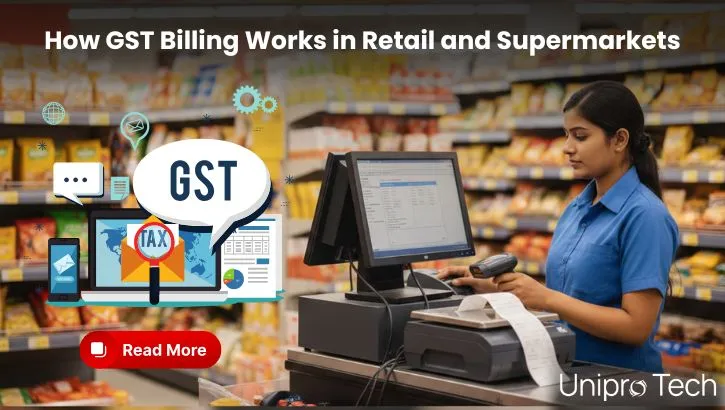
How GST Billing Works in Retail and Supermarkets

How GST Billing Works in Retail and Supermarkets-min

GST compliance is one of the most important responsibilities for retail stores and supermarkets in India. From issuing correct invoices to filing returns on time, GST billing affects daily operations, cash flow, and legal compliance.

Yet many retailers still struggle to understand how GST billing actually works in retail and supermarkets.

In this blog, we explain GST billing in simple, practical language, focusing on how supermarkets and retail stores should handle GST in day-to-day billing.

What Is GST Billing in Retail and Supermarkets

GST billing refers to the process of charging Goods and Services Tax on retail sales and issuing GST-compliant invoices as per Indian tax laws.

In retail and supermarket businesses, GST billing involves:

  • Applying the correct GST rate to each product
  • Displaying GST details clearly on invoices
  • Maintaining accurate tax breakup records
  • Reporting sales and tax data for GST returns

Since supermarkets sell thousands of SKUs with different GST rates, billing accuracy becomes critical.

Why GST Billing Is Critical for Retail Stores

Incorrect GST billing can lead to:

  • Penalties during GST audits
  • Rejection of Input Tax Credit
  • Incorrect tax payments
  • Customer complaints due to invoice errors

For supermarkets, where billing volume is high, even small GST mistakes can multiply quickly.

That is why understanding GST billing for retail and supermarkets is essential.

GST Rates on Retail and Supermarket Products

One of the most confusing aspects of GST billing is multiple GST slabs.

Common GST rates in supermarkets include:

  • 0 percent GST on essential food items like fresh fruits and vegetables
  • 5 percent GST on packaged food items
  • 12 percent GST on processed goods
  • 18 percent GST on FMCG and non-essential products

A single supermarket bill may contain products from multiple GST slabs, making automated GST billing extremely important.

Types of GST Invoices Used in Retail

Retailers and supermarkets mainly use three types of invoices:

Tax Invoice

Issued when GST is charged. This is the most common invoice type for GST-registered retailers.

Bill of Supply

Used when selling exempt goods or when the retailer is under the composition scheme.

Credit Note and Debit Note

Issued for returns, refunds, or price corrections.

Correct invoice selection is mandatory for GST compliance.

How GST Is Calculated in Retail Billing

GST is calculated based on the taxable value of goods.

The invoice typically shows:

  • Product price
  • Applicable GST rate
  • CGST and SGST split (for intra-state sales)
  • IGST (for inter-state sales)
  • Total bill amount

Retail billing systems must calculate GST automatically to avoid manual errors.

GST Billing Workflow in Supermarkets

A typical GST billing process in supermarkets looks like this:

  1. Product scanned or selected at billing counter
  2. GST rate fetched automatically for the product
  3. GST calculated based on quantity and price
  4. Invoice generated with GST breakup
  5. Sales and tax data stored for reporting

Manual billing makes this process error-prone, especially during peak hours.

GST Billing for Multi-Store Retail Chains

For multi-store supermarkets, GST billing becomes more complex due to:

  • Multiple GST registrations
  • Store-wise sales reporting
  • Centralized accounting requirements

Each store must maintain accurate GST records while the head office needs consolidated GST reports.

This is why most growing retail chains rely on POS-based GST billing systems.

Common GST Billing Mistakes in Retail

Retailers often make these GST billing mistakes:

  • Applying wrong GST rates to products
  • Issuing incorrect invoice types
  • Missing GST details on bills
  • Incorrect tax breakup in reports
  • Manual errors during peak billing hours

These mistakes can lead to compliance issues and penalties.

Role of POS Software in GST Billing

Modern POS software simplifies GST billing by:

  • Automatically applying correct GST rates
  • Generating GST-compliant invoices
  • Handling multiple tax slabs in a single bill
  • Maintaining digital GST records
  • Generating GST reports for returns

For supermarkets, POS-based GST billing is no longer optional.

GST Returns Related to Retail Billing

Retailers must file GST returns based on billing data:

  • GSTR-1 for outward supplies
  • GSTR-3B for tax payment summary

Accurate GST billing ensures that return filing is smooth and error-free.

Incorrect billing leads to mismatches during return filing.

How Supermarkets Can Simplify GST Billing

Supermarkets can simplify GST billing by:

  • Using GST-ready POS software
  • Mapping correct GST rates to products
  • Automating invoice generation
  • Maintaining digital audit trails
  • Reviewing GST reports regularly

Automation reduces dependency on manual calculations and prevents errors.

ย 

Benefits of GST-Compliant Billing for Retailers

Proper GST billing helps retailers:

  • Stay legally compliant
  • Avoid penalties and audits
  • Improve accounting accuracy
  • Gain customer trust
  • Save time during return filing

For supermarkets handling thousands of daily transactions, these benefits are significant.

How RetailPOS Supports GST Billing for Supermarkets

RetailPOS is designed to support GST billing for retail and supermarkets by offering:

  • Automated GST calculation
  • Multi-GST slab billing
  • GST-compliant invoice formats
  • Store-wise and consolidated GST reports
  • Seamless data export for accounting

This helps supermarkets focus on operations while staying compliant.

Final Thoughts

Understanding how GST billing works in retail and supermarkets is essential for every store owner.

With correct billing practices and the right POS system, GST compliance becomes simple, accurate, and stress-free.

As retail businesses scale, automated GST billing is not just a convenience but a necessity.

Unipro Tech Solutions

Smart POS and cloud systems for supermarkets and hypermarkets
Website:www.uniprotech.co.in
Phone:044-421 421 40
Email:salesenquiry@uniprotech.co.in

Frequently Asked Auestions

GST billing in retail works by applying the correct GST rate to each product, calculating tax automatically, and issuing a GST-compliant invoice that shows CGST and SGST or IGST details.

Supermarkets use multiple GST rates depending on the product. Essential items may be exempt, while packaged foods, FMCG, and non-essential goods fall under 5%, 12%, or 18% GST slabs.

Most GST-registered retailers issue a tax invoice. A bill of supply is used for exempt goods or composition scheme dealers, while credit notes are issued for returns.

Yes. A single supermarket bill can include products with different GST rates. The billing system must calculate and display each tax slab correctly on the invoice.

Common mistakes include applying wrong GST rates, issuing incorrect invoice types, missing GST details on bills, and errors caused by manual billing during peak hours.

Retailers can simplify GST billing by using GST-ready POS software that automates tax calculation, generates compliant invoices, and provides accurate GST reports for return filing.

How GST Billing Works in Retail and Supermarkets Read More ยป

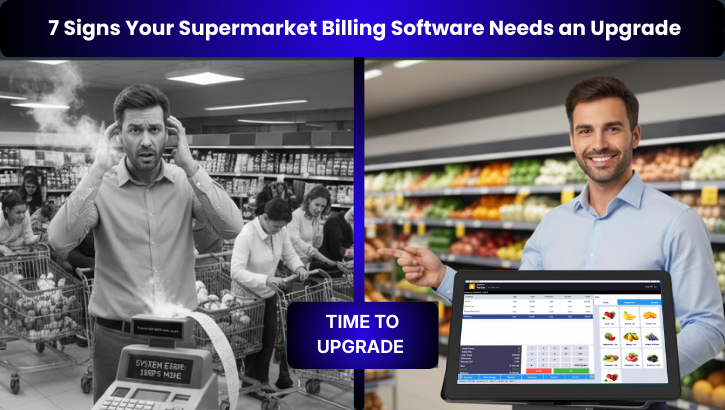
7 Signs Your Supermarket Billing Software Needs an Upgrade

7 Signs Your Supermarket Billing Software Needs an Upgrade

Supermarket operations in 2026 are far more complex than they were a few years ago. Faster checkout, accurate inventory, multiple payment methods, online orders, and real time reporting are now basic expectations. Yet many supermarkets still rely on outdated billing software that slows operations and silently reduces profit.

If your POS system is struggling to keep up with your daily operations, it may be time for an upgrade. Below are the 7 most important signs that your supermarket billing software needs an upgrade, explained in detail to help supermarket owners and managers make the right decision.

ย 

1. Billing Is Slow During Peak Hours

If customers regularly wait in long queues during rush hours, your billing software is a problem. Slow billing systems struggle to handle high transaction volumes, multiple counters, and simultaneous users. Common causes include:
  • Old POS architecture 
  • Poor multi counter handling 
  • Outdated hardware dependency 
  • No local caching or offline support 
A modern supermarket billing software processes transactions quickly, supports multiple counters smoothly, and prevents billing delays even during peak hours. If billing speed relies heavily on staff skills rather than system performance, it is a clear sign you need an upgrade.

2. Frequent Billing Errors and Price Mismatches

Price mismatches between shelf labels and billing screens lead to customer dissatisfaction and loss of trust. If your staff often manually correct prices at the counter, the billing system is outdated.

Signs include:

  • Wrong item price at checkout
  • Manual price overrides
  • Frequent complaints from customers
  • Delayed price updates across counters

Modern supermarket POS systems allow centralized pricing, instant updates, and error free billing. If price accuracy is still a daily problem, upgrading your billing software is not optional.

3. Inventory Is Never Accurate

Inventory mismatch is one of the biggest indicators of outdated billing software. If physical stock never matches system stock, the issue lies in how inventory is updated.

Problems caused by old systems:

  • Stock updated only at end of day
  • No real time sync between billing and inventory
  • Poor handling of returns, damages, or transfers
  • No expiry or batch tracking

Modern supermarket inventory management systems update stock in real time and provide full visibility across stores. Inaccurate inventory directly leads to wastage, shrinkage, and lost sales.

4. No Support for Multi Store or Chain Operations

If you operate more than one store and still manage them separately, your billing software is limiting your growth.

Signs include:

  • No centralized reporting
  • Manual data consolidation from each store
  • Different pricing at different outlets
  • No visibility into inter store transfers

A modern billing system supports centralized control, allowing owners to manage pricing, inventory, promotions, and reporting across all stores from a single dashboard.

If your software cannot scale with your business, it needs an upgrade.

5. No Integration with Online Orders or Delivery

Supermarkets in 2026 must handle both walk in customers and online orders. If your billing system works only offline, you are losing business.

Limitations of old billing software:

  • No ecommerce integration
  • Manual online order entry
  • Stock mismatch between online and offline
  • No delivery workflow

Modern billing systems integrate with ecommerce platforms and delivery partners, ensuring real time stock sync and unified operations. Without this, your supermarket is operating at a disadvantage.

6. Reports Are Delayed or Incomplete

If your sales, stock, or margin reports are available only at the end of the day or require manual preparation, decision making becomes slow and reactive.

Red flags include:

  • No real time dashboards
  • Manual Excel reports
  • No visibility into fast or slow moving items
  • No store wise performance comparison

Modern supermarket billing software provides real time analytics that help owners make faster and smarter decisions. Lack of actionable reports is a strong sign that an upgrade is necessary.

7. Support Is Slow or Unreliable

Billing software downtime directly affects sales. If your vendor relies only on email support or delayed responses, your operations are at risk.

Warning signs:

  • Long waiting time for issue resolution
  • No call support
  • No onsite assistance
  • Repeated unresolved technical issues

A reliable billing software provider offers immediate call support and onsite assistance when required. Strong support is critical for supermarket operations, and poor service is a clear reason to switch systems.

8. Why Upgrading Your Supermarket Billing Software Matters

Continuing with outdated billing software leads to:

  • Slower operations
  • Poor customer experience
  • Higher shrinkage
  • Manual dependency
  • Limited scalability
  • Lost revenue opportunities

Upgrading to a modern supermarket POS system improves billing speed, stock accuracy, reporting, customer satisfaction, and long term profitability.

Unipro Tech Solutions

Smart POS and cloud systems for supermarkets and hypermarkets
Website:www.uniprotech.co.in
Phone:044-421 421 40
Email:salesenquiry@uniprotech.co.in

Frequently Asked Auestions

If your billing is slow, inventory is inaccurate, reports are delayed, or support is unreliable, your billing software is outdated and needs an upgrade.

Yes. Old billing software often lacks real time inventory updates and expiry tracking, which leads to shrinkage, wastage, and stock mismatch.

Cloud based billing software provides real time access, centralized control, automatic backups, and better scalability, making it ideal for supermarkets.

A supermarket should upgrade its POS system when billing slows down, sales reporting is delayed, or expansion becomes difficult.

Yes. Faster billing, accurate pricing, shorter queues, and better promotions improve customer satisfaction significantly.

Billing downtime impacts sales directly. Fast call support and onsite assistance ensure uninterrupted supermarket operations.

7 Signs Your Supermarket Billing Software Needs an Upgrade Read More ยป

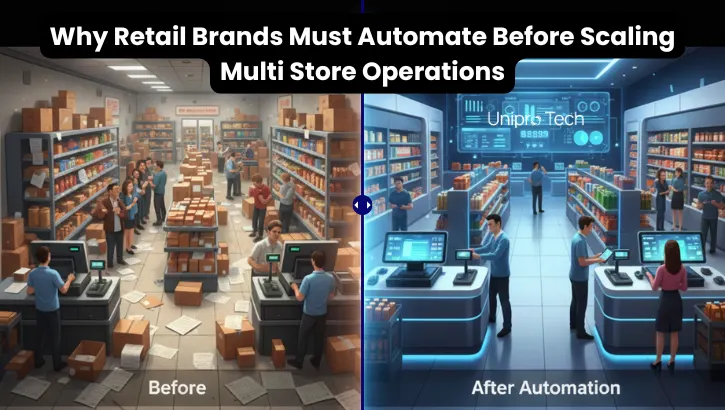
Why Medium Scale Retail Brands Should Adopt End to End Automation Before Scaling Further

Why Medium Scale Retail Brands Should Adopt End to End Automation Before Scaling Further

Scaling a retail business from 2 stores to 5 stores or from 5 stores to 20 becomes extremely difficult without centralized retail management. As store networks grow, manual work and human dependency multiply. This is why medium scale retailers must adopt end to end retail automation and modern retail software before expanding further.

Retailers who automate early scale faster, reduce operational leakage, and maintain consistent processes across every outlet.

2. Why Scaling Without Automation Fails

Most medium scale retailers begin with manual or semi digital workflows. These may work for 1 or 2 stores, but they collapse when the retail network expands.

Without automation, retailers face:

  • No real time visibility
  • Delayed sales reporting
  • Manual inventory updates
  • Inconsistent pricing and promotions
  • High shrinkage
  • Wrong procurement decisions
  • Slow billing and long queues
  • Heavy dependency on store staff

This slows down growth and makes scaling extremely risky.

Automation through a retail ERP, supermarket POS system, or cloud based retail software solves these challenges immediately.

3. What Retail Automation Provides to Growing Retailers

With automation, retail brands gain the essential tools required for expansion.

3.1 Unified Dashboards

A centralized multi store retail dashboard provides complete visibility into:

  • Live sales
  • Store wise performance
  • Real time stock
  • Purchase and GRN data
  • Category and brand insights

Retailers no longer wait for manual WhatsApp updates or daily reports.

3.2 Standardized Processes Across All Stores

Automation ensures every outlet follows the same workflow for:

  • Billing
  • Inventory operations
  • GRN
  • Stock audits
  • Shelf refill
  • Purchase cycles
  • Promotions and discounts

This delivers consistent customer experience and eliminates confusion across branches.

3.3 Centralized Pricing and Promotions

A modern supermarket POS software allows retailers to manage:

  • Price updates for all stores
  • Promotions and offers
  • Product catalogs
  • Digital price sync across locations

No more mismatched shelf labels or manual price changes.

3.4 Store to Store Transfer Visibility

Through automated inventory management, retailers gain complete control over:

  • What was transferred
  • What was received
  • Missing or damaged items
  • Approval workflows
  • Internal stock shrinkage

This reduces leakage between stores and improves overall accuracy.

4. Retailers Believe Automation Is Expensive But Losses Are Higher

Many medium scale retailers assume automation costs more.
In reality, the hidden losses cost much more than any software investment.

What is more expensive than automation:

  • Wastage
  • Stock losses
  • Expired items
  • Over staffing
  • Inefficient processes
  • Slow billing during peak hours
  • Wrong purchasing
  • Manual entry errors
  • A strong retail automation system reduces costs across every department.

5. Automation Reduces Operational Leakage and Shrinkage

Shrinkage through spoilage, theft, miscounts, barcode errors, or human mistakes quietly eats 2 to 6 percent of revenue in most supermarkets and grocery stores.

As a store network expands, shrinkage grows even faster.

End to end retail automation reduces shrinkage through:

  • Batch and expiry tracking
  • Accurate inventory sync
  • Digital GRN
  • Controlled access
  • Automated store transfers
  • Stock variance reports
  • Real time alerts

Retailers who automate early reduce shrinkage significantly.

6. Growing Store Networks Create Rapid Complexity

The bigger the supermarket network, the more complex operations become.

A retailer with:

  • 2 stores is manageable
  • 5 stores becomes challenging
  • 10 stores becomes unstable
  • 20 stores becomes chaotic without automation

Every new branch increases workload in:

  • Inventory control
  • Purchasing cycles
  • Billing and checkout
  • Refill and replenishment
  • Reporting
  • HR and training
  • Promotions
  • Delivery operations

This is why scaling requires an end to end retail ERP system or a cloud based supermarket management solution.

7. Automation Replaces Repetitive Manual Tasks With Accurate Workflows

Medium scale retailers lose hours daily on repetitive tasks like:

  • Stock inward
  • Manual expiry checks
  • Manual purchase orders
  • Transfer documentation
  • Sales reporting
  • Physical audits

Automation replaces all of these with:

  • Automatic stock updates
  • Automatic expiry alerts
  • Automatic purchase suggestions
  • Automatic GRN matching
  • Automatic daily sales summaries
  • Automatic inventory variance reports

This allows staff to focus on customer service instead of paperwork.

It also improves:

  • Checkout speed
  • Store appearance
  • Customer satisfaction
  • Upselling and cross selling

8. Why Retailers Must Automate Before Expanding

If a retailer expands without automation, every new store adds:

  • More manual work
  • More shrinkage
  • More errors
  • More dependency on staff
  • More complexity
  • Less visibility

Retailers who automate before scaling achieve:

  • Faster growth
  • Higher store performance
  • Better margins
  • Lower wastage
  • Accurate inventory
  • Better customer experience
  • Stronger control
  • Smooth multi store expansion

Automation is the foundation of retail growth.

9.Final Takeaway

Medium scale retailers with 2 to 10 stores who adopt end to end retail automation grow faster, improve customer experience, control inventory better, and scale confidently.

Automation provides:

  • Centralized control
  • Standardized operations
  • Real time stock visibility
  • Faster billing
  • Smarter purchasing
  • Lower wastage
  • Higher efficiency

If you are planning to expand from 2 to 5 stores or from 5 to 20 stores, automation should be your first investment.

Want to Automate Your Retail Chain Before Scaling?

Book a free demo of RetailPOS to see how multi-store automation can help you grow efficiently and profitably.

Email: salesenquiry@uniprotech.co.in
Phone: +91 44-421 421 40
Website: retailpos.co.in

Frequently Asked Auestions

Automation is essential for medium scale retailers because it centralizes control, reduces manual work, improves inventory accuracy, prevents shrinkage, and standardizes processes across all stores. Without automation, scaling from 2 to 5 or 5 to 20 stores becomes inefficient and costly.

Retail automation provides real time dashboards, unified inventory control, centralized pricing, automated purchasing, and accurate store to store transfer tracking. These features remove operational complexity, making it easier to expand into new locations without losing control.

Retailers often face stock mismatches, slow billing, inconsistent pricing, heavy staff dependency, wrong purchasing decisions, shrinkage, wastage, and lack of visibility. These issues multiply as store count increases, making manual operations unsustainable.

Automation is not as expensive as most retailers think. In fact, the real cost comes from shrinkage, wastage, inefficiency, overstaffing, and billing errors. Automation reduces these losses and delivers long term savings that outweigh the software investment.

Automation reduces shrinkage by implementing batch and expiry tracking, digital GRN, restricted user access, real time inventory updates, automated stock transfers, and variance reports. These controls eliminate the manual errors and internal leakages that normally cause 2 to 6 percent revenue loss.

Retailers should look for real time inventory management, automated purchasing, multi store dashboards, centralized pricing, mobile apps for staff, stock audit tools, delivery integration, and a complete retail POS and ERP solution that supports chain wide operations.

Why Medium Scale Retail Brands Should Adopt End to End Automation Before Scaling Further Read More ยป